Introduction: The Job Search Bottleneck
Modern job searching is fundamentally inefficient. You’re manually scanning job boards, rewriting your CV for each application, drafting repetitive cover letters, tracking applications in scattered spreadsheets, and preparing for interviews, all while competing against hundreds (or thousands) of applicants.
This fragmented process isn’t just slow, it’s a productivity drain. The shift toward AI-driven workflows changes the equation. Instead of operating manually, you can automate job search using AI, turning a time-intensive grind into a scalable system that runs in the background.
For tech, AI, and remote job seekers especially, this can realistically save 10+ hours per week, while increasing both application quality and response rates.
Best AI Productivity Tools for Job Seekers in 2026 (Tested & Ranked)
.
Why Job Seekers Are Turning to AI
1. Hyper-Competitive Hiring Landscape
Tech hiring in 2026 is saturated. Recruiters rely heavily on ATS filters and automated screening. Speed and precision now matter as much as skill.
2. Personalization at Scale
Generic applications are ignored. AI enables mass personalization—tailoring resumes and messages instantly.
3. Workflow Automation
Instead of doing tasks sequentially, AI lets you build parallel systems:
- Jobs discovered automatically
- Applications prepared instantly
- Tracking updated in real time
4. Measurable Productivity Gains
A properly built AI system can:
- Cut application time by 70–80%
- Increase application volume 2–3x
- Improve interview conversion rates
.
🤖 What Can AI Automate in Your Job Search?
AI can handle nearly every repetitive task:
| Task | AI Capability |
|---|---|
| Job discovery | Scrapes, filters, and recommends relevant roles |
| Resume customization | Matches keywords to job descriptions |
| Cover letter writing | Generates tailored, role-specific letters |
| Application tracking | Logs and updates automatically |
| Interview prep | Simulates questions and evaluates answers |
| Networking | Drafts outreach and follow-ups |
.
🧠 Step-by-Step AI Job Search Automation System
Step 1: Automate Job Search & Alerts
Use platforms like:
- Indeed
- Glassdoor
How to optimize:
- Set filters: role, salary, remote, experience level
- Enable daily alerts
- Use AI-based recommendations (LinkedIn does this well)
Pro Tip: Use multiple platforms simultaneously to increase coverage.
Best AI Resume Templates for 2026 (Free + ATS-Friendly Downloads)
.
Step 2: Extract Keywords from Job Descriptions
Use ChatGPT to instantly analyze job posts.
Copy-Paste Prompt:
“Analyze this job description and extract the top 15 keywords, required skills, and responsibilities. Group them into technical skills, soft skills, and tools.”
Why this matters:
- ATS systems prioritize keyword matching
- You align your CV directly with recruiter expectations
.
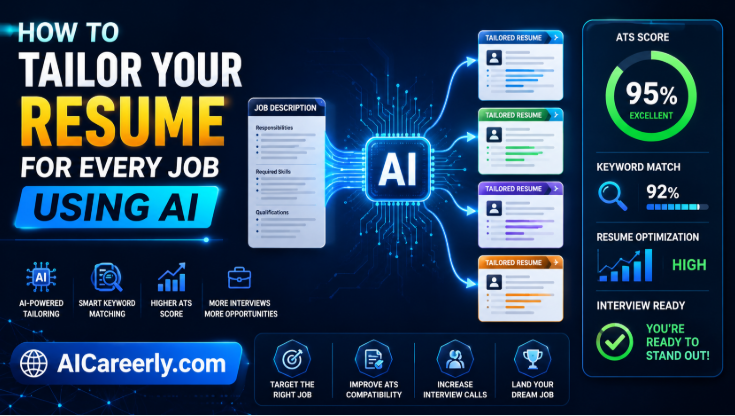
Step 3: Auto-Tailor Your CV for Each Job
Use tools like:
- ChatGPT
- Kickresume
- Rezi
Workflow:
- Paste job description
- Paste your base resume
- Ask AI to tailor it
Prompt:
“Tailor my resume for this job description. Optimize for ATS, include relevant keywords, and rewrite bullet points to match responsibilities.”
Before vs After:
- Before: Generic, static resume
- After: Targeted, keyword-rich, role-specific
.
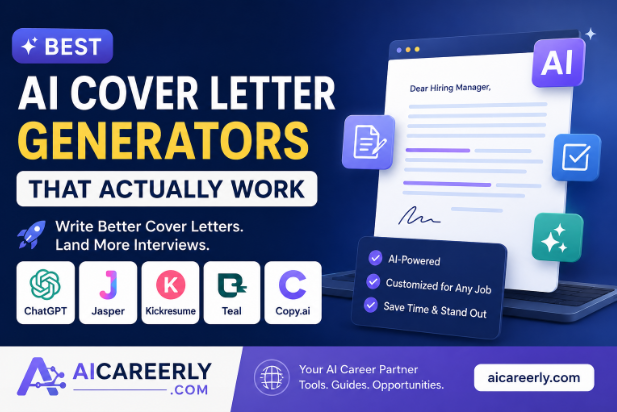
Step 4: Generate Cover Letters Instantly
Use ChatGPT to produce high-quality, customized letters.
Prompt Template:
“Write a personalized cover letter for this role based on my resume and the job description. Keep it concise, professional, and aligned with the company’s mission.”
Key optimization:
- Keep under 300 words
- Highlight measurable achievements
- Mirror company language
.
Step 5: Track Applications Automatically
Use:
- Notion
- Airtable
Set up a tracker with:
- Company name
- Role
- Status (Applied, Interview, Rejected)
- Follow-up date
Automation idea:
- Use Zapier to log applications automatically
How to Learn AI in 2026: Complete Beginner Roadmap (Step-by-Step)
.
Step 6: Automate Outreach & Networking
Networking is often the highest ROI activity.
Use LinkedIn + AI to scale outreach.
Prompt:
“Write a short, personalized LinkedIn message to a recruiter for this role. Keep it professional, friendly, and concise.”
Automation tips:
- Create message templates
- Customize with AI per contact
- Schedule follow-ups
.
Step 7: Prepare for Interviews Using AI
Use:
- ChatGPT
- Interview Warmup
Prompt:
“Generate 10 interview questions for this role and evaluate my answers with feedback.”
Advanced use:
- Simulate behavioral interviews
- Practice technical explanations
- Improve communication clarity
.
📊 AI Job Search Workflow (System Overview)
A high-performance AI system looks like this:
Discover → Analyze → Apply → Track → Improve
- Discover: Automated job alerts
- Analyze: Extract requirements using AI
- Apply: Generate CV + cover letter
- Track: Log automatically
- Improve: Refine based on feedback
This creates a continuous automation loop.
.
💡 Best Prompts to Automate Your Job Search
Use these immediately:
1. Job Analysis
“Analyze this job description and extract required skills, tools, and experience.”
2. Resume Optimization
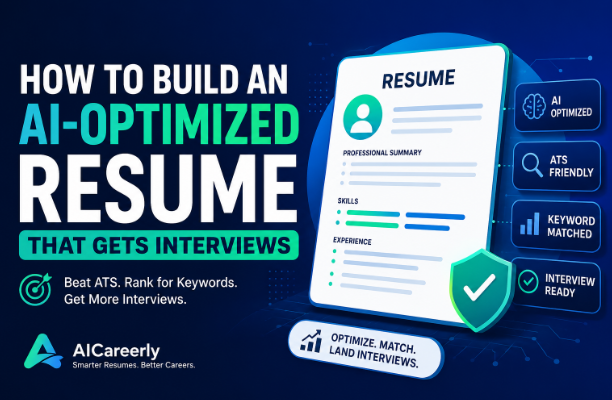
“Rewrite my resume to match this job and optimize for ATS.”
3. Cover Letter
“Write a tailored cover letter highlighting my relevant experience.”
4. LinkedIn Outreach
“Write a short message to connect with a recruiter for this role.”
5. Interview Prep
“Simulate an interview and provide feedback on my answers.”
How to Use AI to Prepare for Job Interviews in 2026 (Step-by-Step Guide)
🧰 Best AI Tools for Job Search Automation
Core Tools
- ChatGPT – Content generation & analysis
- LinkedIn – Job discovery & networking
- Notion – Tracking system
- Zapier – Workflow automation
- Rezi – Resume optimization
.
Advanced Strategies (High-Value)
1. Batch Applying
- Generate 10+ tailored applications in one session
- Use templates + AI customization
2. Multiple Resume Versions
- Create variants:
- Data-focused
- Engineering-focused
- Product-focused
3. AI Personal Branding
- Generate LinkedIn posts weekly
- Position yourself as a thought leader
4. Full Automation Workflows
- Job alert → AI analysis → Resume generation → Tracker update
- Tools like Zapier connect everything
.
⚠️ Common Mistakes to Avoid
1. Over-Automation
Blindly sending AI-generated applications reduces quality.
2. Generic Outputs
Always refine AI-generated content.
3. No Human Review
AI is powerful—but not perfect.
4. Quantity Over Quality
Balance volume with relevance.
How to Use AI to Get a Job Faster in 2026
.
🔮 Future of AI in Job Search (2026+)
- AI-driven recruiting pipelines
- Automated candidate screening systems
- Hyper-personalized hiring algorithms
- Resume-less applications (skills-based hiring)
AI will not just assist job seekers, it will define the hiring process itself.
.
Conclusion
If you’re still manually applying to jobs, you’re operating at a massive disadvantage.
When you automate job search using AI, you:
- Save 10+ hours per week
- Increase application efficiency
- Improve interview conversion rates
The advantage is no longer optional, it’s structural.
Start building your AI-powered job search system today.
.
❓ Frequently Asked Questions (FAQs) About Automating Job Search Using AI
1. What does it mean to automate a job search using AI?
Automating a job search using AI involves using tools like ChatGPT, LinkedIn, and Zapier to handle repetitive tasks such as finding jobs, tailoring resumes, writing cover letters, tracking applications, and even preparing for interviews—without manual effort for each step.
2. How much time can AI realistically save in a job search?
A well-structured AI workflow can save 10–15 hours per week by automating job discovery, resume customization, and communication tasks. The exact time savings depend on how much of your process you automate.
3. Is it safe to rely on AI for job applications?
Yes, but with oversight. AI should augment—not replace—your judgment. Always review outputs for accuracy, tone, and personalization before submitting applications.
4. Can AI help my resume pass ATS systems?
Absolutely. Tools like Rezi and Kickresume optimize resumes using job-specific keywords, improving your chances of passing Applicant Tracking Systems (ATS).
5. Which AI tools are best for job search automation?
Some of the most effective tools include:
- ChatGPT for content generation
- LinkedIn for job discovery
- Notion for tracking
- Zapier for workflow automation
6. Can AI write personalized cover letters?
Yes. AI can generate highly tailored cover letters based on job descriptions and your experience. However, adding a personal touch or specific achievements improves effectiveness.
7. How can AI improve my chances of getting interviews?
AI increases your chances by:
- Matching resumes to job descriptions
- Increasing application volume without losing quality
- Improving keyword alignment
- Enhancing communication with recruiters
8. Is automating job applications considered unethical?
No—automation is widely accepted as long as you’re not spamming irrelevant applications. The key is maintaining relevance and authenticity in every submission.
9. Can AI help with networking and LinkedIn outreach?
Yes. AI can draft personalized messages, follow-ups, and connection requests on LinkedIn, helping you scale outreach while keeping it relevant.
10. Do I need technical skills to automate my job search?
Not necessarily. Most tools like Notion and Zapier offer no-code interfaces, making it accessible even for non-technical users.