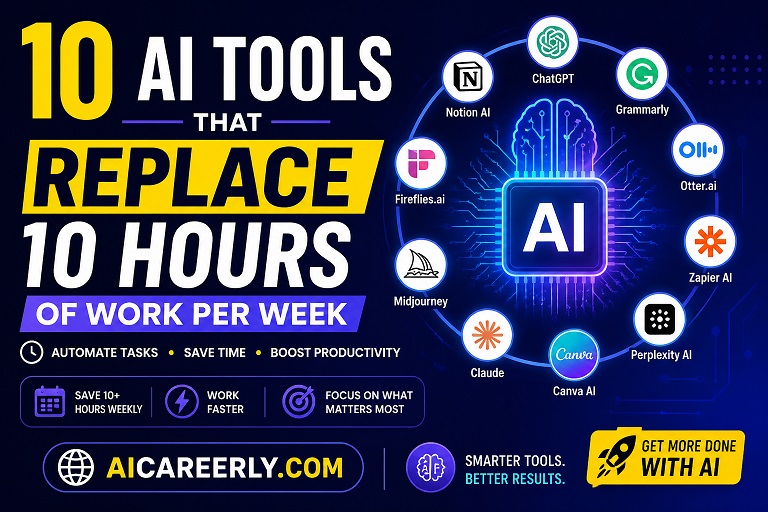
Introduction
Work today is increasingly dominated by repetitive tasks, writing emails, attending long meetings, summarizing notes, creating content, managing workflows, and switching between tools. For most professionals, these small tasks quietly accumulate into several hours lost every week. This is where AI is changing the equation.
Modern AI productivity tools are no longer experimental. They are practical systems that automate thinking, writing, organizing, researching, and even decision-making support. Whether you are a freelancer, remote worker, marketer, or startup founder, these tools help reduce manual effort significantly.
Saving even 10 hours per week is not just about efficiency, it directly impacts output quality, focus, and long-term career growth. In this guide, we explore best AI tools for work that can realistically help you reclaim your time and streamline your daily workflow.
Notion vs ChatGPT for Productivity: Which One Should You Use? (2026 Guide)
1. ChatGPT – The All-Purpose Work Assistant
ChatGPT is one of the most widely used AI tools for productivity, acting as a writing assistant, coding helper, research partner, and brainstorming engine.
Key Features
- Content writing and editing
- Idea generation and brainstorming
- Email drafting and summarization
- Coding and debugging support
How It Saves Time
Instead of spending 30–60 minutes drafting content or emails, ChatGPT can generate structured drafts in seconds.
Use Cases
- Writing blog posts
- Creating business proposals
- Generating marketing ideas
Pros & Limitations
- Pros: Extremely versatile, fast output
- Cons: Requires human refinement for accuracy
Pricing
Free + paid premium plans
Example
A marketer can generate 10 ad variations in minutes instead of manually writing each one.
2. Notion AI – Smart Workspace Automation
Notion AI transforms your workspace into an intelligent system that writes, organizes, and summarizes content automatically.
Key Features
- Auto-writing notes and summaries
- Task organization
- Knowledge base generation
Time-Saving Power
Eliminates manual documentation and meeting note structuring.
Use Cases
- Project planning
- Team documentation
- Content organization
Pros & Limitations
- Pros: Deep integration with workflows
- Cons: Best inside Notion ecosystem
Pricing
Free limited use + paid plans
Example
Meeting notes automatically converted into action items.
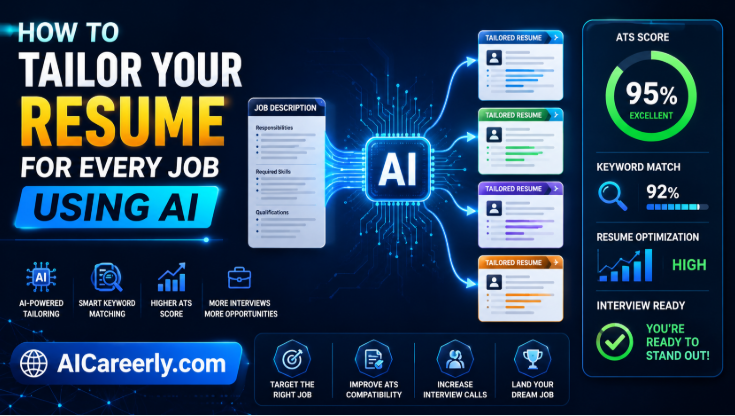
How to Automate Your Job Search Using AI (Save 10+ Hours Weekly)
3. Grammarly – AI Writing Polish Engine
Grammarly is a leading AI software for professionals that enhances writing clarity and correctness.
Key Features
- Grammar and spelling correction
- Tone adjustment
- Clarity suggestions
Time Saved
Reduces editing time by eliminating manual proofreading.
Use Cases
- Emails
- Reports
- Academic writing
Pros & Limitations
- Pros: Reliable and accurate
- Cons: Advanced features are paid
Pricing
Free + premium version
Example
A freelancer can finalize client emails in half the usual time.
4. Otter.ai – Meeting Notes Automation
Otter.ai automates meeting transcription and summarization.
Key Features
- Real-time transcription
- Meeting summaries
- Keyword extraction
Time Savings
Removes the need for manual note-taking during meetings.
Use Cases
- Team meetings
- Interviews
- Online classes
Pros & Limitations
- Pros: Accurate transcription
- Cons: Works best in clear audio environments
Pricing
Free tier + paid plans
Example
A 1-hour meeting is automatically converted into structured notes.
5. Zapier AI – Workflow Automation Engine
Zapier with AI capabilities connects apps and automates repetitive workflows.
Key Features
- App integration automation
- AI-powered workflow creation
- Trigger-based actions
Time Savings
Removes manual copy-paste work across apps.
Use Cases
- Email automation
- CRM updates
- Content publishing workflows
Pros & Limitations
- Pros: Powerful automation
- Cons: Setup requires learning curve
Pricing
Free + paid tiers
Example
Automatically save email attachments to cloud storage.
6. Perplexity AI – Research Assistant
Perplexity AI is a powerful AI-driven research engine for fast and accurate answers.
Key Features
- Real-time web answers
- Source-backed responses
- Research summarization
Time Savings
Cuts research time significantly by summarizing multiple sources.
Use Cases
- Market research
- Academic research
- Competitive analysis
Pros & Limitations
- Pros: Fast and accurate
- Cons: Dependent on internet sources
Pricing
Free + Pro version
Example
A marketer can research competitors in minutes instead of hours.
7. Canva AI – Instant Design Creation
Canva integrates AI tools to simplify graphic design.
Key Features
- AI-generated designs
- Text-to-image tools
- Templates for marketing assets
Time Savings
Removes dependency on manual design work.
Use Cases
- Social media posts
- Presentations
- Marketing creatives
Pros & Limitations
- Pros: Easy to use
- Cons: Limited advanced design control
Pricing
Free + Pro plans
Example
Create a full social media campaign in under an hour.
Best AI Productivity Tools for Job Seekers in 2026 (Tested & Ranked)
8. Claude – Advanced AI Writing Assistant
Claude is an advanced AI assistant focused on long-form reasoning and writing quality.
Key Features
- Long document processing
- High-quality writing output
- Context-aware responses
Time Savings
Ideal for drafting long reports and structured content quickly.
Use Cases
- Business writing
- Research summaries
- Strategy documents
Pros & Limitations
- Pros: Strong reasoning ability
- Cons: Limited integrations compared to competitors
Pricing
Free + premium tiers
Example
Summarizing a 20-page report into key insights instantly.
9. Midjourney – AI Image Generation
Midjourney generates high-quality visuals from text prompts.
Key Features
- Text-to-image generation
- Artistic rendering styles
- High-quality visuals
Time Savings
Eliminates hours of manual design or stock image searching.
Use Cases
- Branding visuals
- Social media graphics
- Creative projects
Pros & Limitations
- Pros: Exceptional image quality
- Cons: Requires prompt learning
Pricing
Paid subscription
Example
A designer creates campaign visuals without Photoshop.
10. Fireflies.ai – Meeting Intelligence Platform
Fireflies.ai automatically records, transcribes, and analyzes meetings.
Key Features
- Meeting recording
- AI summaries
- Searchable transcripts
Time Savings
Removes manual documentation and follow-up note creation.
Use Cases
- Sales calls
- Team discussions
- Client meetings
Pros & Limitations
- Pros: Strong collaboration features
- Cons: Needs integration setup
Pricing
Free + paid plans
Example
Sales teams automatically generate follow-up emails from meetings.
Comparison: Best AI Tools by Category
- Best for writing: ChatGPT, Claude
- Best for meetings: Otter.ai, Fireflies.ai
- Best for automation: Zapier AI
- Best for research: Perplexity AI
- Best free AI tool: ChatGPT (free tier), Grammarly
- Best AI tool for teams: Notion AI, Fireflies.ai
How to Actually Save 10+ Hours Weekly Using AI
Using AI workflow tools effectively is not about installing multiple apps—it is about combining them strategically.
- Use ChatGPT or Claude for writing tasks
- Automate workflows with Zapier
- Use Otter.ai or Fireflies.ai for meetings
- Use Canva AI or Midjourney for visuals
- Use Perplexity AI for research instead of manual browsing
The real productivity gain comes from reducing context switching. Instead of jumping between 10 tools manually, AI systems can centralize and automate much of your workflow. However, avoid overdependence. AI should support decision-making, not replace critical thinking.
Future of AI Productivity
The next phase of work is shifting toward AI-driven systems and autonomous assistants.
We are moving toward:
- AI coworkers that handle repetitive operations
- Intelligent workflow automation systems
- Smarter decision-support tools
As AI productivity tools evolve, professionals who understand how to integrate them into daily work will have a strong competitive advantage. AI literacy is becoming as important as digital literacy once was.
Conclusion
AI tools are no longer optional—they are becoming essential components of modern workflows. From writing and research to automation and design, these systems eliminate repetitive tasks and allow professionals to focus on higher-value work.
The goal is not to replace humans but to remove inefficiencies that slow them down. Those who adopt AI tools for work early will naturally outperform those who rely entirely on manual processes.
Start small, experiment with a few tools, and gradually build a smarter, AI-assisted workflow that saves time every single week.
FAQs
1. What are the best AI productivity tools?
ChatGPT, Notion AI, and Zapier AI are among the most widely used tools.
2. Are there free AI tools for work?
Yes, many tools like ChatGPT, Grammarly, and Perplexity offer free versions.
3. Can AI really save time at work?
Yes, AI can automate writing, research, meetings, and repetitive workflows.
4. Which AI tool is best for remote work?
Notion AI and Fireflies.ai are highly effective for remote collaboration.
5. What are AI automation tools?
They are systems like Zapier that connect apps and automate tasks.
6. Are AI tools safe for business use?
Most established tools follow security and privacy standards, but always review policies.
7. Will AI replace jobs?
AI is more likely to automate tasks rather than replace entire roles.
8. What is the best AI writing tool?
ChatGPT and Claude are widely used for writing assistance.
9. Can students use AI tools?
Yes, AI helps students with research, writing, and study organization.
10. How do AI tools improve productivity?
They reduce manual effort, automate workflows, and speed up repetitive tasks.